Most of a Gaussian scene is haze: pruning a real capture onto a $99 board
Drop 93% of a trained Gaussian scene and the picture barely changes. That is what lets a room-scale capture fit on a 4GB board, and it is the second of two surprises this post hit on the way from the synthetic scenes of the port and the profile to a real one. The first was humbling: I could not point the camera at the locomotive.
The scene is the Tanks & Temples “train” from the official 3D Gaussian Splatting release, a green Western Pacific locomotive on a siding with hills behind it. The 7,000-iteration model, shipped in the release’s pretrained bundle, is 742,000 splats, 175 MB of .ply. The loader built for the synthetic tests read it without complaint, the first good sign. Real captures use the same binary layout, just with the higher spherical-harmonic bands a degree-0 renderer ignores.
The camera you cannot guess
A Gaussian scene has no canonical front. It is a cloud in whatever coordinate frame the photogrammetry picked, and the only record of where the cameras stood is a cameras.json this dataset does not ship. So aim by hand: find the opacity-weighted center, orbit it, hope.
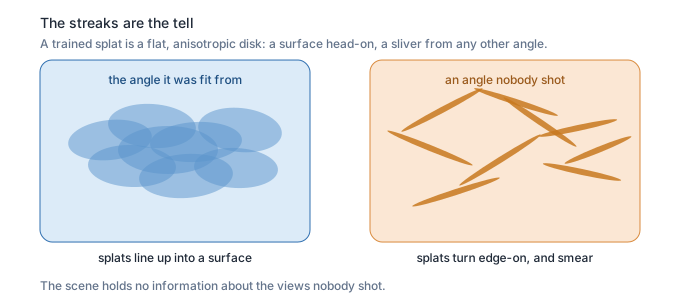
That returns real geometry in real color, green hills, blue sky, even the orange traffic cone from the reference photo. It does not return the locomotive. Every viewpoint comes out edge-on, the scene a thin bright band on black, or smeared into streaks.
The streaks are the tell. A Gaussian optimized to look right from the captured angles is a stretched, anisotropic disk in space. View it near those angles and the disks line up into surfaces. View it from far off, from above, and each disk turns side-on and smears. The renderer is doing exactly what it should.
The scene holds no information about the views nobody shot. A clean broadside waits on the original cameras, and so does any pixel-exact check against a reference renderer. Both are out of reach until that file turns up.
The fast number is the empty view
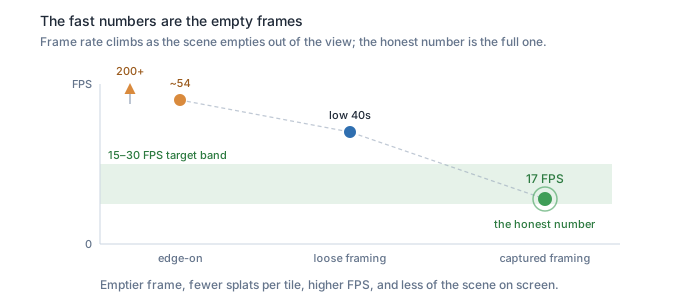
The edge-on views render fast. About 54 frames a second at 480p for a 50,000-splat slice. For a moment that looks like the headline, well past the 15-to-30 target on a 2019 board.
It is a measurement artifact, for the reason the last post spent its length on. Render cost is bound by overlap, by how many splats crowd each tile, and an edge-on band that is mostly black is near the cheapest case there is.
Pulling the camera closer makes it worse as a measurement: more splats fall outside the view and get culled, and the rate climbs past 200 while showing even less. Timing the views you can get means timing the empty ones. The honest number needs a frame full of scene.
Most of it is haze
Filling the frame at a count the board can hold means pruning, 742,000 down toward 50,000. The blind way is a stride: keep every fourteenth splat. The first stride came back almost black.
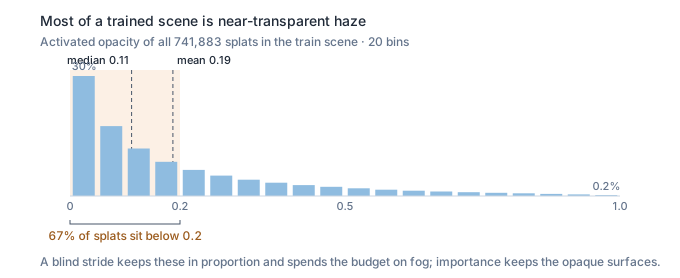
That sent the question to the opacity values, and the scene explained itself. Average opacity across those 742,000 splats is 0.187. Most of a trained Gaussian scene is near-transparent haze, thousands of faint splats each nudging a pixel a little. A stride keeps them in proportion, so it spends a tight budget on fog and loses the surfaces underneath.
The fix is to spend the budget on splats that own pixels. Score each one by opacity times size, and keep the top 50,000:
// importance = opacity * characteristic size (cbrt of the scale product).
// Keeps large, opaque surface splats; drops the transparent floaters a
// blind stride would waste the budget on.
float size  = cbrtf(s0 * s1 * s2);
float score = opacity * size;
// ... nth_element on score, keep the top K.
The honest check renders the full 742,000-splat scene, then each pruning at the same camera, and compares every pixel against the full render. Mean absolute error, out of 255:
importance (opacity x size)   6.0     <- keeps the scene
opacity alone                33.7
stride (blind)               72.4     <- mostly black
Importance pruning lands twelve times closer to the full scene than the stride, from the same 6.7% of the splats.
Six levels out of 255 is below what an eye catches.
The other 93% of the splats, by this measure, carried almost none of the image.
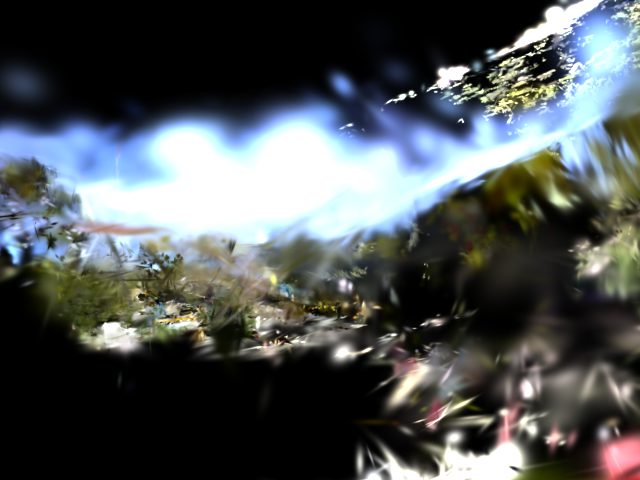
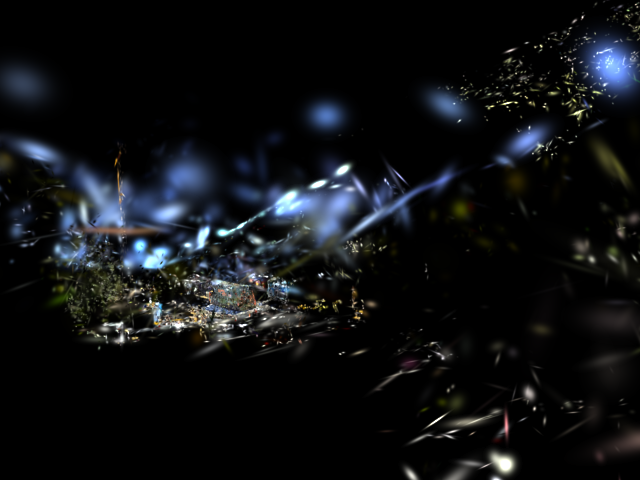
Side by side, same camera and the same 50,000-splat budget: the importance render fills the frame the way the full scene does, and the stride render is a scatter of bright fragments on black.
The number, framed honestly
The importance-pruned 50,000 fills the frame, so the timer finally runs on a view that is full of scene. How fast depends on how much the scene fills the frame, because render pays per covered pixel and per overlap.
A loosely framed view runs in the low 40s. A view framed the way the cameras saw it, subject filling the frame, packs far more overlap onto each tile and runs about 17 frames a second at 480p. That is the honest number, and it sits inside the target. The full 742,000-splat scene from the same tight view manages 2.7.
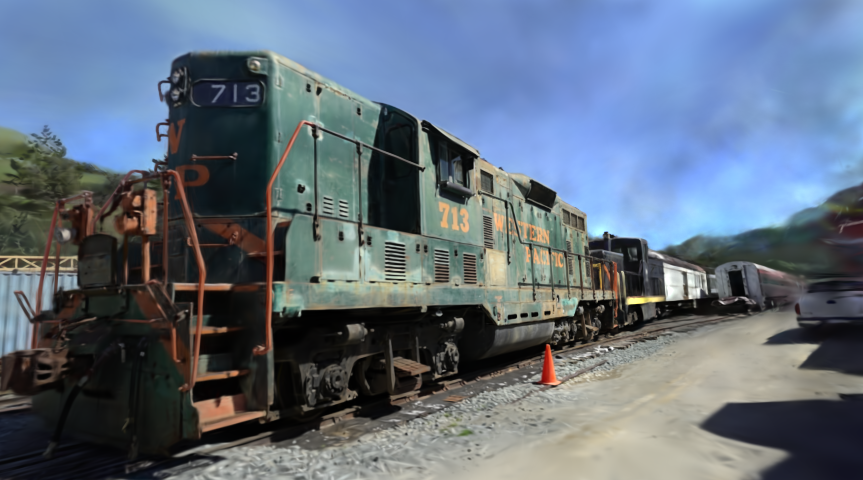
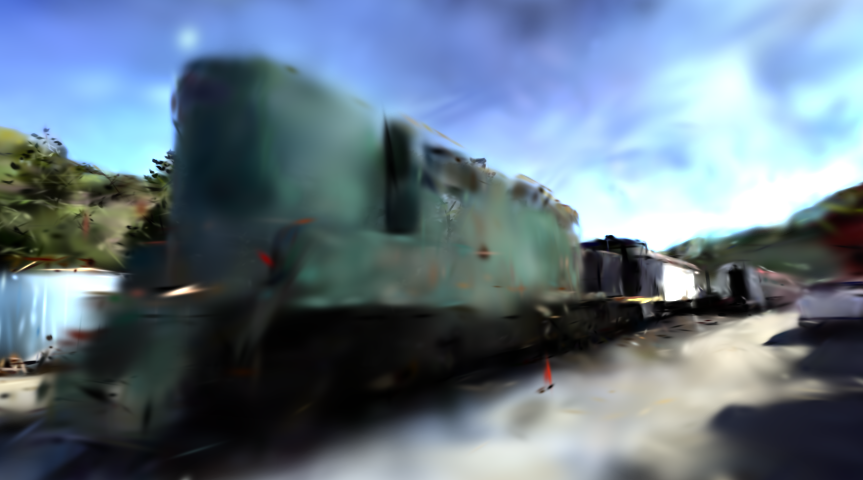
So the real answer, framed the way it was captured: a little under 20 FPS at 480p, in the target band, from a model that is a fraction of the original. The kernel work from the last post helped. The lever here was upstream. It was noticing that most of the data was haze and keeping the part that was not.
Framing the scene the way it was shot needs the original cameras. Those ship inside a 14 GB archive nobody wants to download whole. Pulling one small file out of a remote zip, and the portrait of the 713 it unlocks, is the next post.
Real-time Gaussian Splatting on a $99 board
- Compiling a 2023 CUDA renderer for a 2015 GPU
- Gaussian Splatting on a Jetson Nano: the bottleneck wasn't the sort
- Most of a Gaussian scene is haze: pruning a real capture onto a $99 board (this post)
- I downloaded 120 KB of a 14 GB file to find the camera
- The same image on two GPUs a decade apart
- The backward pass I deleted trained the model the Nano runs
- The two machines coordinated through a markdown file
New parts publish weekly; this list grows as each one goes live.